SharePoint is a central place in many organizations. It’s an engine for small sites, teamwork spaces, large application platforms, and Intranets. Microsoft updates it frequently and delivers improvements, features, and integrations. In this post, I will show you the current state of SharePoint as an Intranet platform.
Intranet on SharePoint Platform
Before you start thinking about building an Intranet portal, you should discover all sets of features available in SharePoint.
Many people think that SharePoint is a document repository, a database for business applications, or a back end for Teams files. However, it’s not a database for sure. In fact, you can use it as a platform to perform many more functions in addition to the ones discussed above. You can build a DMS system on top of SharePoint and use it as an application data source. You can create an Intranet portal or a video portal and more.
SharePoint is Flexible Platform
SharePoint has many Intranet-ready features that you can use out of the box. Using only them, you can build quite a complex portal with rich content, videos, news system, etc. All those goodies can be integrated with other Microsoft 365 services (for example, with Teams or Power Platform). You can even integrate it with Azure services to bring AI capabilities, scalable databases, or enterprise automation.
Example: How to Build an Intranet Site using SharePoint
Let’s check the example from the Microsoft SharePoint Look Book site – the Intranet site with a news section, links, latest documents, recent sites, and current weather. The layout is clear, and all information is visible. What’s interesting – building such a site from scratch won’t take much time!
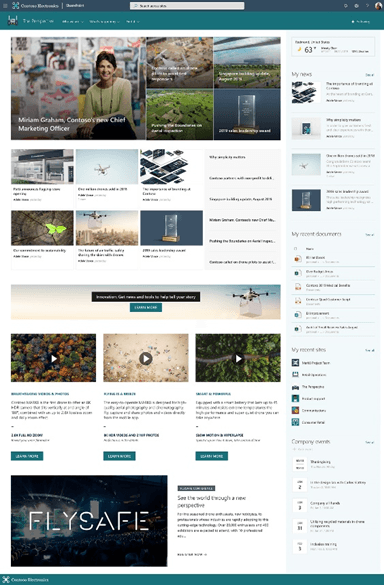
Intranet-supporting Features of Microsoft SharePoint
Let’s go through the main features designed to build Intranet sites. It’s crucial to understand what is available out of the box. It will give an overview of SharePoint platform capabilities so you will be able to plan additional customizations if needed.
- You Can Embed News
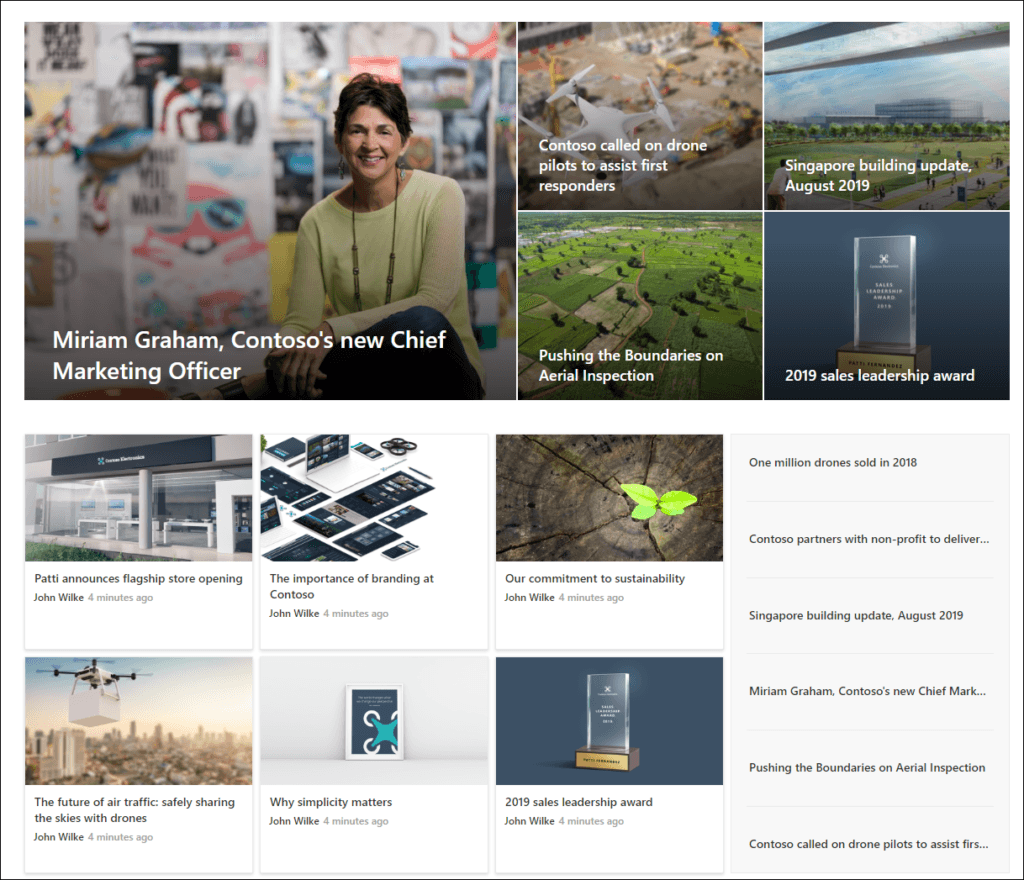
This is the main part of every Intranet portal. News components are used on the main site, department sites, team sites, and almost everywhere. SharePoint provides dedicated webparts and mechanisms for News. The screen displays a Hero webpart with promoted news and a News webpart where users can find the latest news from the Intranet.
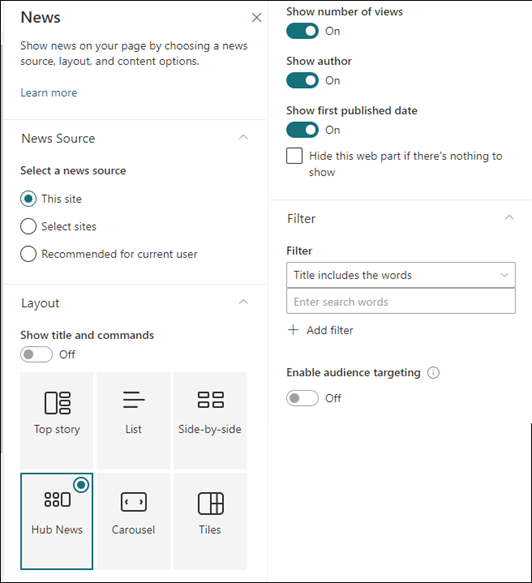
The News webpart can be configured to display information from the current site or selected sites. You can configure the layout with additional information (display author of news, publish date, etc.). News entries can be also filtered by metadata.
- Powerful Documents Saving
You can build an Intranet portal without documents. They store information, procedures, diagrams, presentations, and much more. SharePoint is designed to store documents in many different formats and allows users to effectively work on Office files. All those with version control systems give you a powerful place for your files.
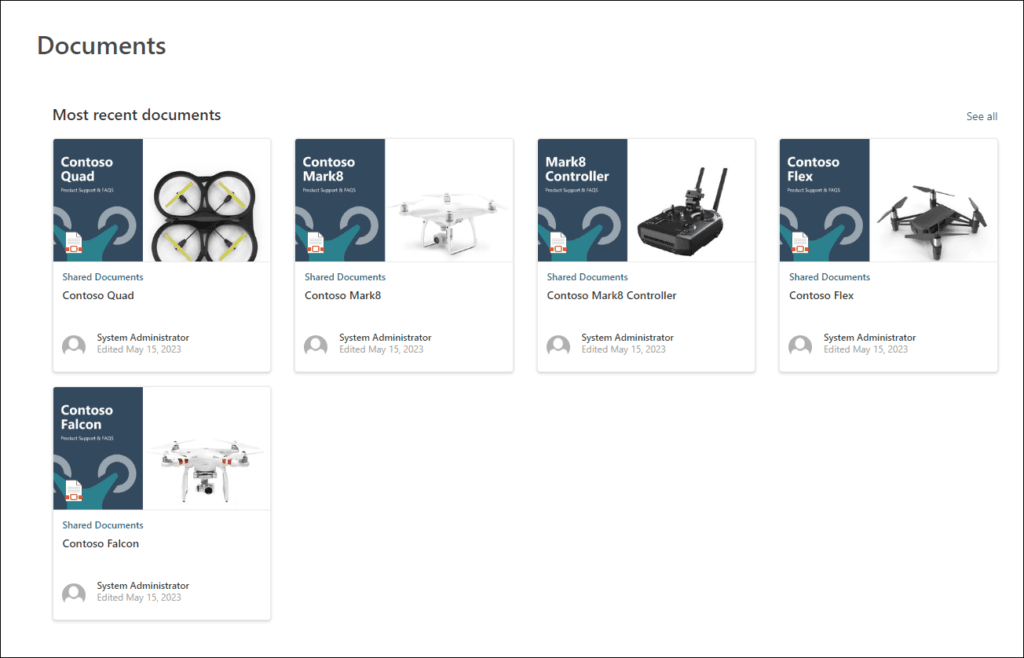
Content webparts help you highlight important documents or files on main pages. Users don’t need to use complex structures to find the information they need for work.
- Themes and Navigation
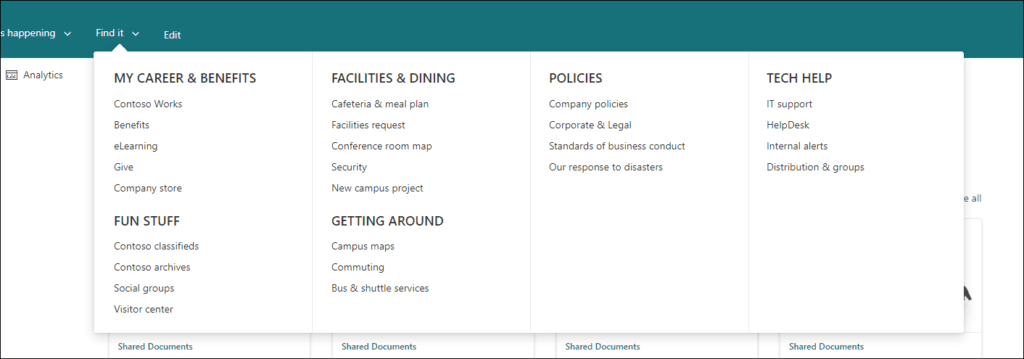
Intranet portals must be clean and show information without distractions. Navigation plays a crucial role and SharePoint gives you many options to create and manage it.
Global navigation between department sites, site navigation (simple or complex with hierarchical sections), footer, header, links, and references. So many options but you can choose what is important for your user.
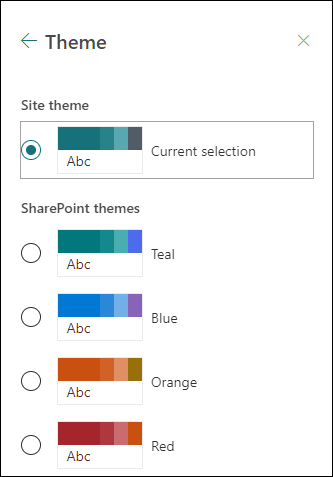
On the other hand, portal design (colors, icons, shades, images) can be even more important. Company colors and logos must be in place and in the correct format.
To address those requirements SharePoint gives you predefined color themes, logo replacement, and color management. If that’s not enough, you can completely change colors and create your own corporate theme and import it to SharePoint.
- Multimedia Content
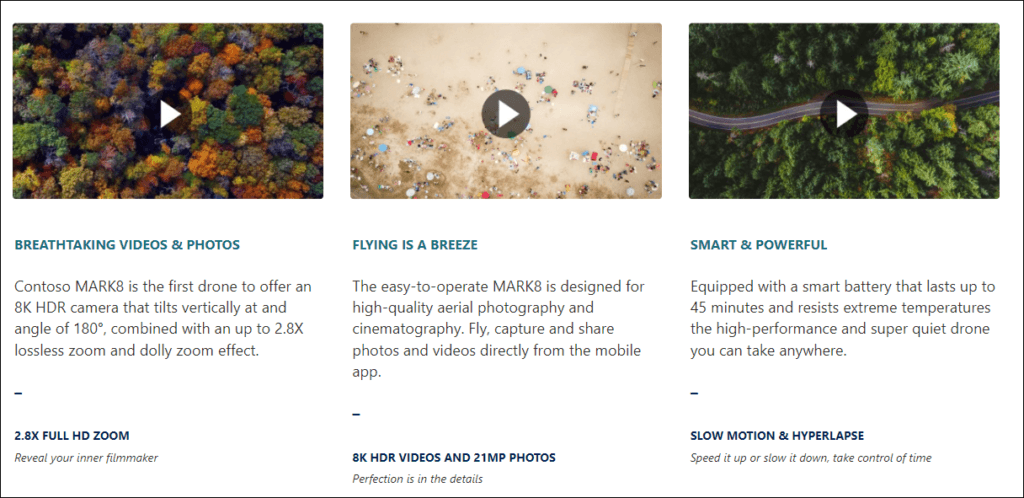
Videos play an important role in modern Intranet sites. Movies from a company meeting, recordings from Town Halls or global Q&A sessions, training materials, onboarding guides, and learning sites – all those media files require dedicated storage and mechanisms to play those media.
SharePoint with the latest Stream enhancements gives you a very powerful platform to store multimedia files, arrange them in structured information, share them, and highlight them on sites and pages. Embedded video players simplify watching and reviewing video files.
- Additional Components
There are many more dedicated webparts that you can use to show important information and make your Intranet helpful and unique.
For example:
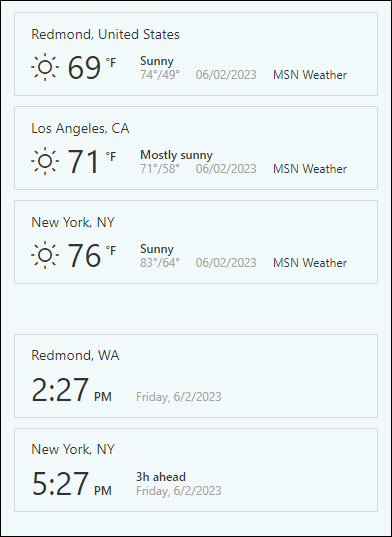
- Weather webpart to show weather in selected locations
- Image galleries to highlight the latest photos
- Calendar to show upcoming company events or training Organization chart to show current org structure
- World clock to show time in other branches
- Charts to display trends in sales or revenue.
Integration with M365
SharePoint provides integration with other Microsoft 365 services and products. You can use those integrations to connect data from other services and display them on your Intranet pages.
For example, you can display sales data from Dynamics CRM on a Sales site. The number of scenarios is only limited by the services you use and your requirements.
The most common scenarios are:
- Data gathering automation (save Forms data to Intranet)
- Embed Power Apps applications on Intranet pages.
- Display Power BI reports on dedicated Intranet sites and pages
- Automatically create Intranet content based on external information.
- Connect on-premises systems with Intranet (for example, SAP system)
SharePoint Intranet: What’s coming
Last month Microsoft announced many new features for SharePoint. Some of them are designed especially for Intranet sites and portals.
- AI is coming to SharePoint. Copilot will be your AI Assistant in SharePoint sites.
Microsoft presented the following example – you can ask Copilot to create a page with content from a file. All you need is to specify a file and check the results.
Copilot will get content from the file, generate a SharePoint page with all information, and even add webparts with related information/highlights, etc. Then you can check the page and ask Copilot to rewrite the specific webpart or change it to make it more visually appealing. This feature will change how we create content for Intranets!
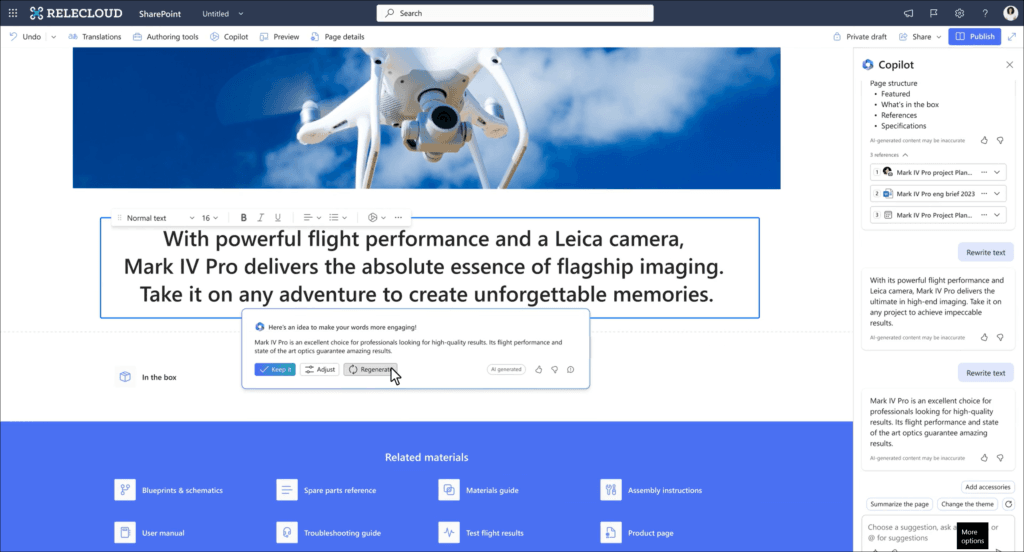
Planned rollout start – November 2023
- Coauthor SharePoint pages with your team members
The new feature will enable co-authoring on SharePoint pages. We will be able to edit the page at the same time. The feature will use the Fluid framework (the same one that powers Microsoft Loop). I can’t wait to test this feature!
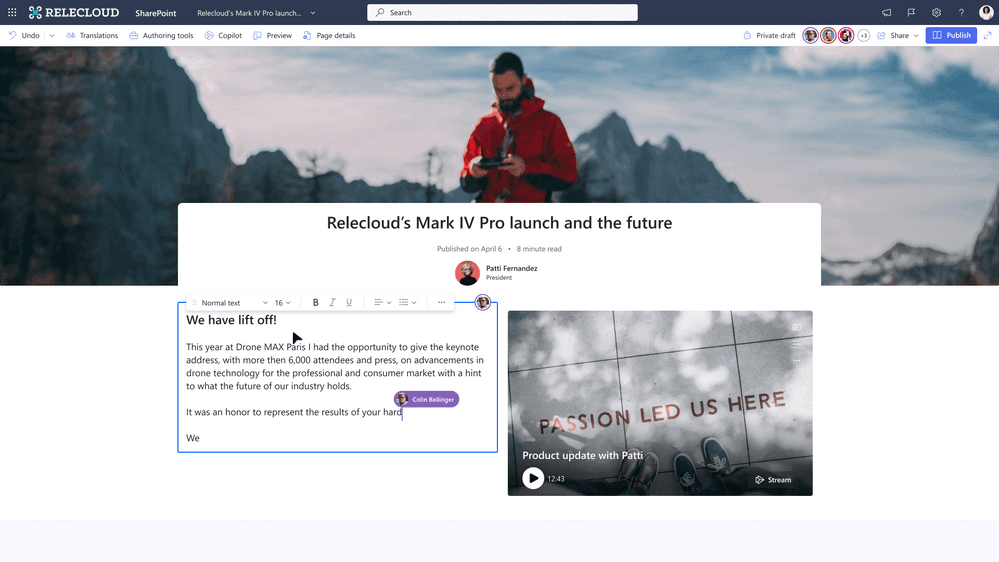
Planned rollout start – March 2024
- Introducing the new Brand Center in SharePoint
The Brand Center is the next big change in SharePoint. It’s a dedicated control panel in Microsoft 365 admin center, where you can create and manage branding elements (fonts, colors, logos, themes, etc.). Once created users can use those elements on your SharePoint sites and pages.
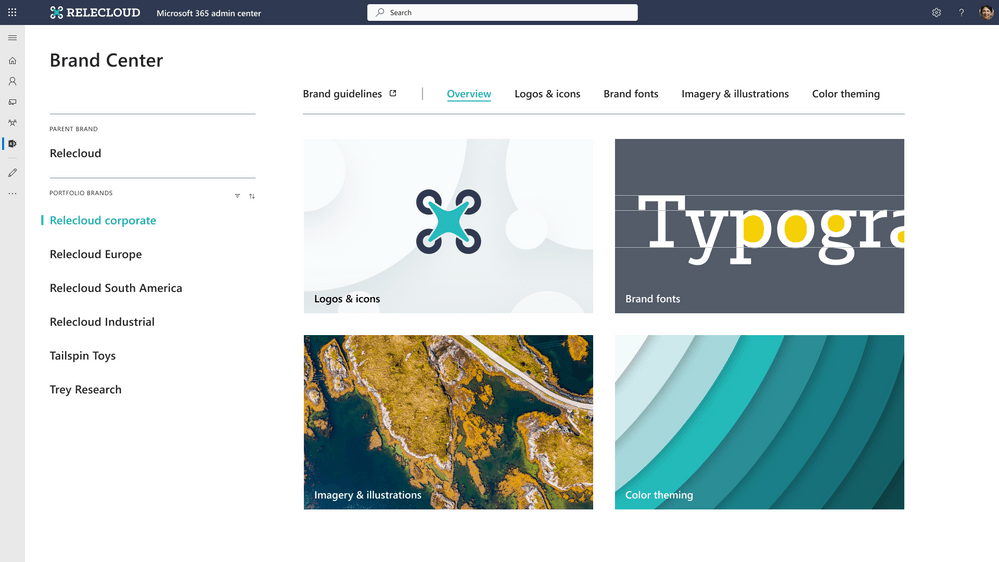
Planned rollout start – December 2023
- Video-first SharePoint pages
New Stream relies on SharePoint and SharePoint webparts. The upcoming changes to the Stream webpart will give you more flexibility and options to highlight your videos. The webpart will display single and multiple videos on SharePoint pages with inline playback.
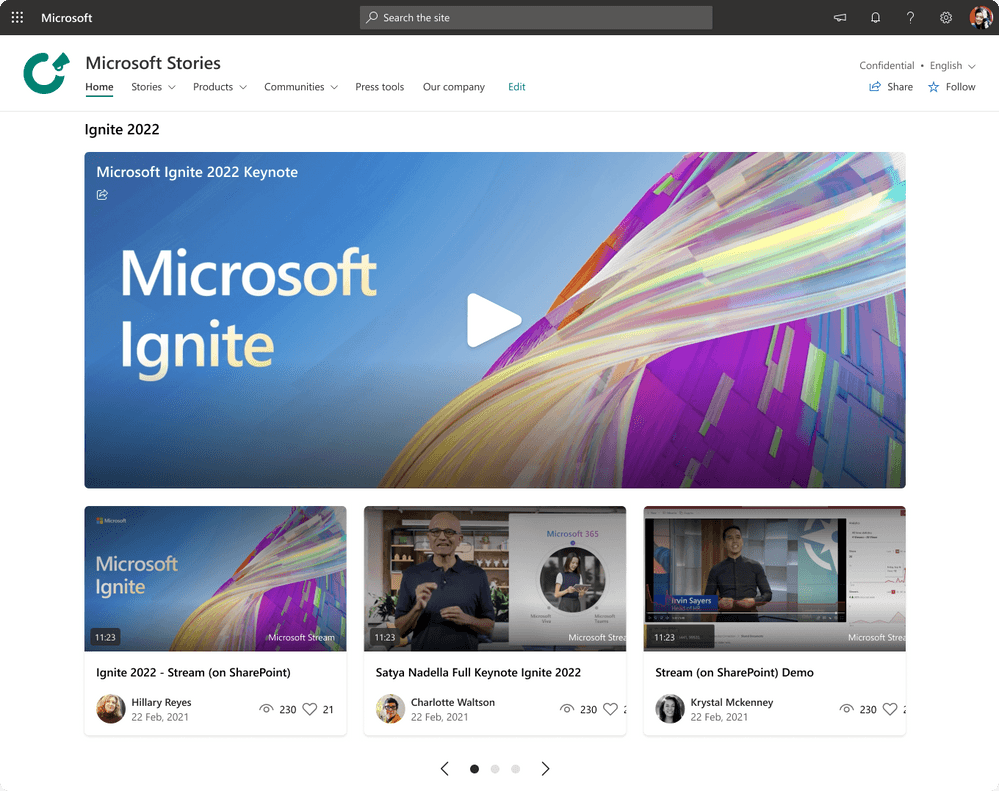
WRAPPING it Up:
SharePoint offers many options to build an Intranet portal. If you need a small department site or a huge corporate-wide Intranet portal, check out the SharePoint platform. Microsoft introduced many new features over the last years and together with upcoming features it will be a real beast for Intranets. This is just a quick overview of what is possible with SharePoint as an Intranet tool. In the next posts, I will go into details, and I will show you how to create video portals, create a news publishing process, manage document repositories, consume external information, and much more.
Check Out WME?
Looking to maximize the potential of your SharePoint Intranet portal? Experience the difference with WME.
Contact us today (sales@winmgmtexperts.com) to learn more about our professional SharePoint services and discover how we can transform your intranet into a powerful collaboration and communication hub.
Interesting Article to Read: How to start working with Microsoft Syntex?