







Our Certifications
Microsoft certifications and partnerships validating our technical expertise.
Podcast
Podcasts, panels, and interviews where WME leaders share how they help high-growth companies and IT partners scale.
Financial Industry
Secure technology solutions for regulated banks and financial institutions.
Healthcare
Secure Microsoft solutions for compliant, connected, and modern healthcare organizations.
Microsoft 365 Migration Services
M&A IT Migration Services
Cloud Migration Services
Data Migration Services
Application Migration Services
Identity & Security Migration Services
Security Solutions
Endpoint Management
Secure, manage, and monitor every device with modern endpoint management solutions.
Licensing Optimization
Power Platform
Sharepoint Solutions
IT Staffing
Accounting & Finance
Managing content across multiple Box accounts gets messy fast. Permissions drift. Folder paths turn into labyrinths. Box Notes pile up with no clear ownership and version history gets murky.
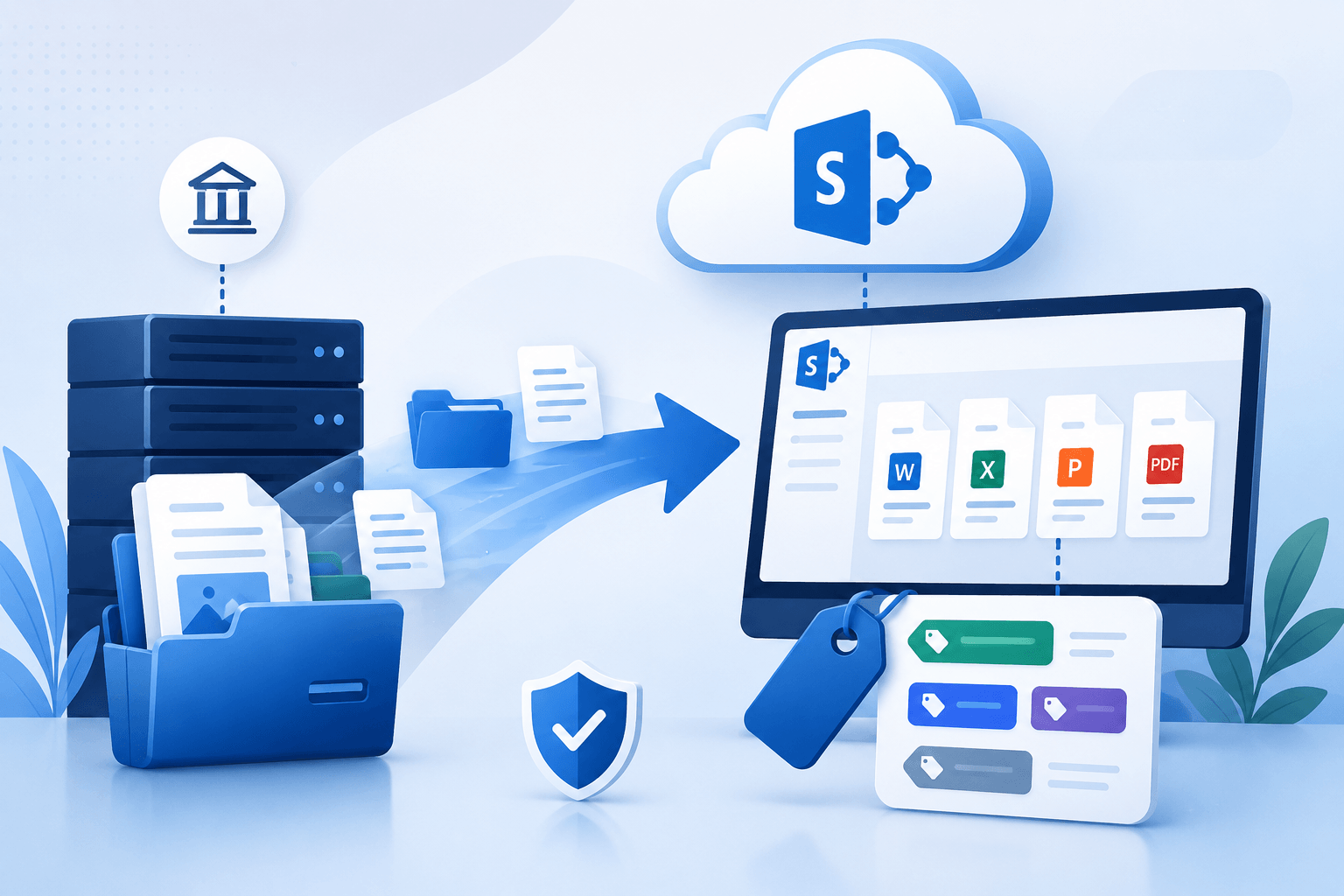
Box files land in SharePoint Online, Office 365, and Microsoft Teams, one governed environment where content is findable, access is controlled, and collaboration tools work together.
The migration process covers Box files, folder names, file paths, version history, user accounts, and sharing permissions, all mapped and transferred cleanly.
Our way? A proven data migration tool paired with delta migration to keep large datasets moving safely while your teams keep working.
Organizations choose to move from Exchange On-Premises to Microsoft 365 for several practical reasons:
Consolidate multiple Box accounts into a single Office 365 environment
Preserve Box Notes, file versions, folder names, and folder path
Map Box users to Office 365 roles with sharing permissions intact
Run the full Box migration with an enterprise-grade data migration tool
Keep teams working throughout with delta migration
A Box migration looks straightforward until you’re in it.
Version history is harder to preserve than people expect. Box Notes and file versions matter for project continuity and compliance audits. A simple data migration tool that flattens or skips these is not built for enterprise use.
File types need checking. Compatibility issues between file types and Office 365 are easier to catch before migration than clean up after.
Permissions don’t port themselves. Mapping Box users and user accounts to Office 365 while keeping sharing permissions accurate is consistently the trickiest part of any migration project. Get it wrong and you break collaboration or expose data that shouldn’t be visible.
Folder structures are messier than they look. Nested folder paths, inconsistent folder names, special characters in filenames, all of it creates friction when mapping content to destination paths in SharePoint Sites. What looks clean in Box often needs preparation before it lands correctly in SharePoint Online.
Large-scale migrations carry real business disruption risk. Without a staged delta migration approach, the migration process itself slows operations. That’s avoidable with the right plan.
Compliance gaps don’t wait. User permissions, audit trails, security updates, these can’t lapse mid-migration. Any gap introduces risk that’s hard to close after the fact.
Every Box file, file version, and folder path needs to arrive in Microsoft 365 intact…the filename and the context around it.
Don’t let messy Box accounts slow your business. Make the transition seamless.
We audit Box accounts, Box Notes, file types, folder paths, and version history before anything moves. Migration needs get mapped accurately to SharePoint Sites and Office 365 destinations. No surprises mid-project.
Box users and user accounts map to Office 365 roles with sharing permissions replicated. Precise alignment protects collaboration and data governance from the start.
Built for large datasets, capable of preserving file versions and running delta migration, so work in Box continues uninterrupted during the migration project.
Before full-scale migration, we validate destination paths, folder names, file migration accuracy, and sharing permissions on real systems. Problems found in testing stay out of production.
Dedicated technical support and change management protocols keep IT teams and end-users informed throughout the migration project, reducing friction and speeding adoption.
Every migration project is documented. A migration report confirms governance alignment, data integrity, and compliance with security updates.
Access and sharing permissions apply consistently across all SharePoint Sites and Microsoft Teams channels once content is migrated. Sensitive data stays where it belongs.
Post-migration, security updates roll out through Microsoft 365 centrally. No chasing down individual Box accounts or managing configuration drift.
Clear communication, training, and technical support help end-users get the advantage of the latest features quickly. People adopt tools they understand.
File sharing, chat experience, and project work all happen in one place. Teams stop hunting across platforms.
Enterprises get a migration report confirming policy alignment and data integrity, with access to trusted Microsoft documentation for ongoing governance.
That experience shapes how we approach every migration project: assess first, move second, validate throughout.
WME has been running cloud migrations for enterprises that can’t afford to get it wrong.
Box to Microsoft 365 is one of the most common migration projects we handle, and one of the most detail-heavy. Permissions, folder structures, Box Notes, file versions, every layer requires deliberate handling, and we have built a process around getting all of it right.
Our team maps Box users to Office 365 roles with precision, preserves version history and Box Notes end-to-end, and uses an enterprise-grade data migration tool designed for large datasets and complex SharePoint Sites structures.
Delta migration runs throughout, so your teams stay productive while the project moves forward.
That said, we’ve handled Box migration for organizations across industries, each with its own governance requirements, compliance standards, and change management expectations.
If your organization is weighing the move from Box to Microsoft 365, we’ll tell you exactly what it involves, what risks to plan for, and how long it realistically takes, before you commit to anything.
Important Notice: Please be aware of imitation websites and unauthorized recruitment messages claiming to represent Windows Management Experts.
Windows Management Experts is only located at windowsmanagementexperts.com. We do not operate or authorize any other websites or recruitment channels claiming to represent us.